
Accessing the translation platform
With my WordPress.org account already set up, the next step was to access translate.wordpress.org and find the Astra theme strings for the es_CR locale. The direct URL is: translate.wordpress.org/projects/wp-themes/astra/es-cr/default/
First contact with the strings
Once inside, I filtered by “Untranslated” to see only the strings that still needed work. The Astra theme has a significant number of untranslated strings in es_CR, confirming that this locale needs contributors. Each string displays the original English text and an empty field for the Spanish translation.
First translations submitted
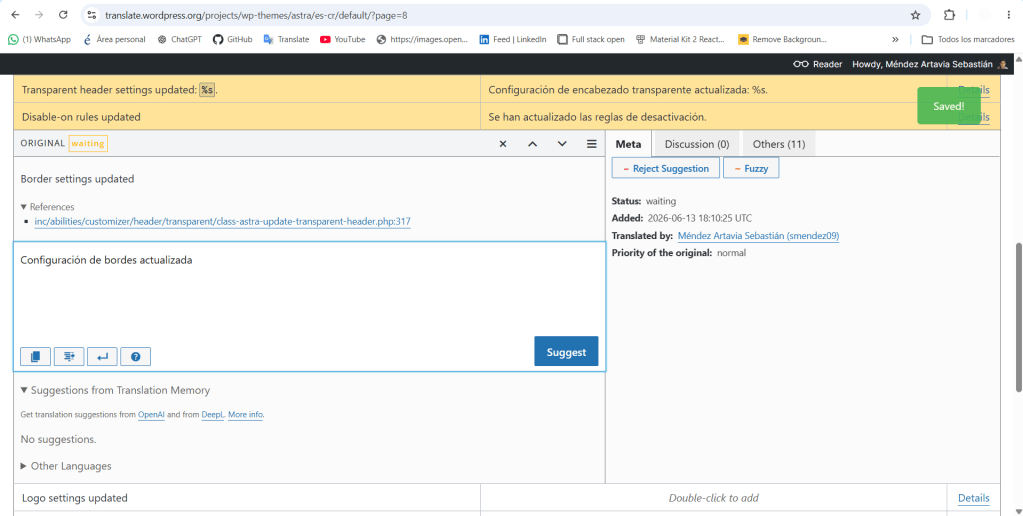
Today I submitted my first 10 translations.
I can say that the process is really simple: click on a string, type the Spanish translation in the field, and click “Suggest.” The translation is currently pending approval from a translation editor on the es_CR team.
What comes next
In the next post, I’ll document my first complete set of translations in more detail, focusing on specific texts and the decisions I made during the process.
I’m very happy to contribute to the community in such a simple yet meaningful way, and I truly hope I’m making an impact on future developers who use this technology.


Leave a Reply